This guide explains IPTV security and privacy with practical, rights-aware checks you can use before changing a player, device, account, or network setting.
For the closest related workflow, continue with What Is IPTV? A Clear Beginner’s Guide; it addresses the next decision without replacing the checks on this page.
IPTV security and privacy: use a source you can verify
Prefer an official device store or the app developer’s own verified distribution channel. Check the publisher, update history, requested permissions, and support contact before you install. “Recommended” download links in anonymous forums are not a substitute for provenance.
Keep the operating system and player updated. CISA recommends changing default credentials and using current updates for connected devices; those steps reduce avoidable risk across the home network.
Verify a source in more than one way. Match the developer name in the store with the publisher’s own support site, inspect whether its listing identifies a privacy contact, and use the platform’s normal update path. A familiar app name, icon, search result, or social-media recommendation does not establish who built the package. Be especially careful when a link asks for a configuration profile, administrator permission, accessibility control, or a download that bypasses the device’s ordinary protections. Those requests can be legitimate in a documented enterprise context, but they are not routine proof that a consumer player is safe. If the official listing is unavailable in a particular region or on a particular model, do not fill the gap with a copied package from an anonymous file host. Ask the publisher or authorized service for a documented compatible option, or decide not to install it.
Limit what a player can learn
Use a unique password where a service supports it, enable multi-factor authentication when offered, and do not reuse an email password for a streaming account. Be cautious with a player that asks for permissions unrelated to playback.
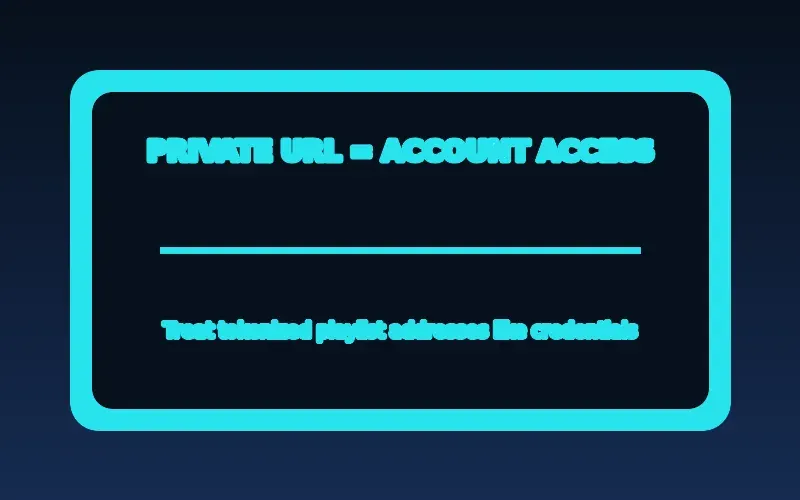
A playlist URL or login can be sensitive. Never submit it to public checkers, paste it into social posts, or include it in an unredacted support screenshot.
Data minimization is practical account hygiene. Give a player only the account details and device permissions it needs for its documented function, and review those choices after a major update. A television player may reasonably need network access; it has no obvious reason to request unrelated contacts, messages, or broad device-management privileges. Permission labels differ by platform, so read the official platform explanation rather than assuming that a familiar label means the same thing everywhere. When an app offers an optional sign-in with a third-party identity provider, consider what data will be shared and whether a separate account is easier to revoke later. Keep screenshots for support narrow: crop or redact tokens, account identifiers, QR codes, payment information, and household details before they leave your device.
Legal and licensing questions
IPTV technology itself is a delivery method. Whether a particular offering is lawful can depend on rights held for specific content, the service’s operations, and the jurisdiction. This guide is general information, not legal advice.
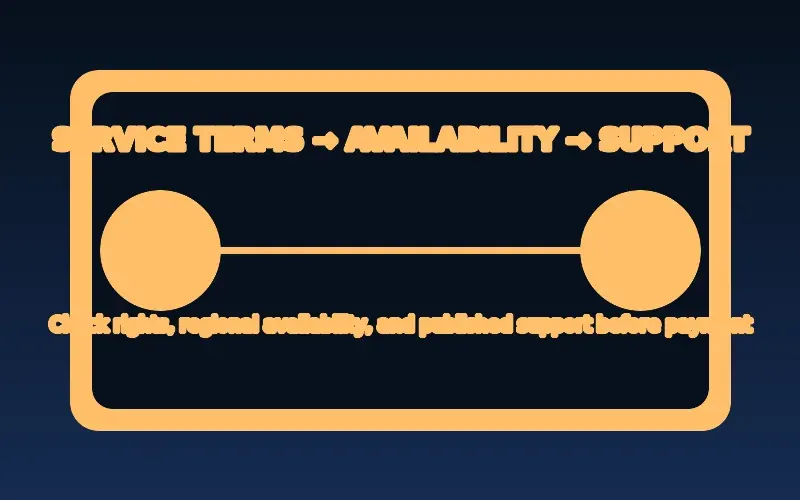
A credible service should be able to identify its business and explain its terms. If claims are vague, payment handling is opaque, or access is framed as bypassing rights restrictions, pause and seek independent advice.
Treat a technical success as separate from an authorization answer. A player accepting a playlist, a channel appearing in a list, or a stream starting on a device says something about connectivity; it does not establish that the operator has rights to offer that program in your location. Look for an identifiable operator, current terms, contact details, billing and cancellation information, and a clear explanation of the service being purchased. Promotional claims that are implausibly broad or avoid basic questions deserve additional scrutiny. Do not ask a player developer to certify a provider’s rights merely because its app can display a stream. If legality is materially important to your decision, consult an appropriately qualified source for your jurisdiction rather than relying on generalized internet commentary.
Threat model: apps, accounts, networks, and payments

An IPTV setup can expose several kinds of information: account credentials, playlist tokens, payment details, device identifiers, and viewing activity. Risks differ by component. An unverified player may request unnecessary permissions; an insecure account can be reused by an attacker; a misleading checkout page can capture payment information.
Start by identifying who operates each component and what data it actually needs. Install from official stores or verified publisher channels, read the privacy policy, and avoid granting permissions unrelated to playback.
A small threat model makes decisions less abstract. For the player, ask whether its publisher and update path are identifiable. For the account, ask whether a leaked password or playlist link could be reused elsewhere. For the home network, ask who can administer the router and whether its firmware and credentials are current. For payment, ask whether the merchant identity, renewal terms, and dispute route are clear before entering data. Then choose a proportionate control for each risk: official distribution, a unique password and MFA, protected router administration, and a payment method or vendor process you understand. This is not a promise that any choice removes all risk; it is a way to avoid concentrating many unrelated risks in one opaque setup.
Protect the viewing device as part of the same system. Enable supported automatic updates, use a screen lock or profile controls where appropriate, remove apps that no longer have a purpose, and change factory-set router administration credentials. Keep the router’s management interface limited to the local network unless the manufacturer provides a secure, documented remote-management method you intentionally use. A guest network can separate visitor devices when the router supports it, but it does not replace updates or strong administration credentials. Do not expose a player, playlist server, or router port to the public internet merely to solve a local playback problem. If remote access is genuinely required, follow the relevant vendor’s supported design and understand which account protects it. These measures reduce avoidable exposure without promising that any home configuration is immune to compromise.
Recognize risky installation instructions

Be cautious when a tutorial asks you to disable device protections, install an unknown APK, turn off antivirus controls, or enter credentials on a third-party checker. Those steps may increase risk without addressing the real playback problem. An app’s ability to open a stream is not evidence that the app is trustworthy.
Verify the developer identity and download location independently. If the official app is unavailable for your device or region, ask the service for a documented supported alternative rather than following anonymous download links.
An official store is not a guarantee that software will meet every need, but it provides a defined publisher record, platform review process, update channel, and removal mechanism that an unknown download site may lack. Google Play, for example, requires developers to disclose core uses of certain high-risk or sensitive permissions, and store listings can provide privacy information. That does not remove the need for judgment: confirm that the publisher name, support domain, app title, and privacy material agree. Be wary of copied listings that use a recognizable logo while naming an unrelated developer. On platforms that permit installation outside the store, treat the publisher’s authenticated website and documented checksum or signature process as evidence only when the publisher actually supplies them. Do not accept a checksum posted beside an unknown file as independent verification of that file’s origin.
Review the instructions as a sequence before following the first step. A credible setup guide should explain the supported operating systems, the official acquisition path, the information the app needs, and how to remove or update it. A risky guide often relies on urgency, shortened links, multiple redirects, demands to disable scanning, or a claim that ordinary protections must remain off after installation. Stop when a step changes device-wide security settings without a clear, documented reason. Record the exact model and OS version, then check the player publisher’s current compatibility page. If the official version does not support the device, an external streaming device with a supported store may be a safer and more maintainable solution than forcing an opaque package onto the television.
Permission review should happen both during installation and later in system settings. Google documents that Android users can inspect an app’s permissions and change them by app or permission type; Apple likewise exposes app access under Privacy & Security. Use those platform controls rather than a third-party permission manager. A request can be denied when it is unrelated to the advertised function, but denial may disable a feature the publisher documents. Test the feature deliberately, and uninstall the app if it cannot explain why it needs sensitive access. A player asking for contacts, SMS, call logs, microphone, or broad file access deserves a specific explanation; network access alone does not justify every other permission.
Protect playlist URLs and account recovery
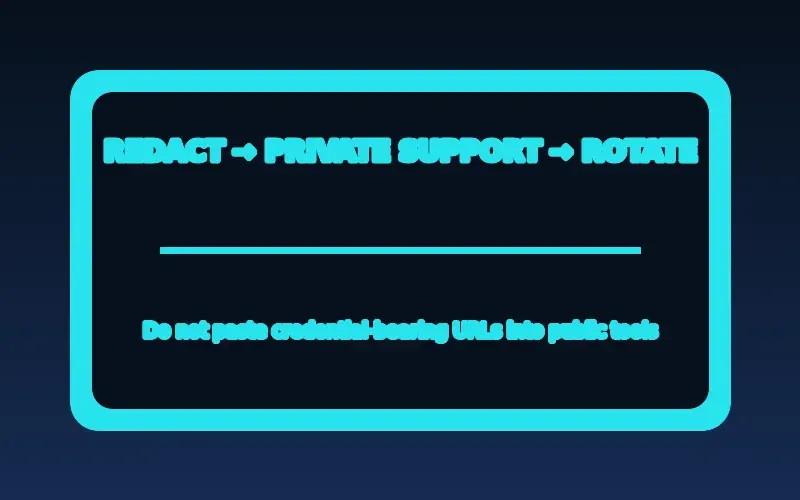
A tokenized M3U address can function like a password. It may appear in app settings, browser history, screenshots, or copied support messages. Store it privately, avoid sending it through public channels, and request token rotation if you suspect disclosure.
Use unique passwords and multifactor authentication where supported. Keep recovery contact details current, and sign out of devices you no longer own. Do not reuse a primary email password for a streaming account.
Treat each credential according to what it can unlock. An account password may grant access to billing or profile data; a playlist URL may contain a token that grants media access without another prompt; a device code may link a screen to an existing account. Store them in a reputable password manager or another protected location appropriate to the account, not in a public note, shared chat, or photographed television screen. Avoid copying a full URL into an online validator whose operator and data handling you cannot verify. When troubleshooting syntax, redact the host, username, password, query token, and any unique identifiers. A safe example can preserve the structure—such as the presence of a scheme and expected path—without preserving the secret value.
Prepare recovery before an incident. Verify the recovery email or phone through the service’s official account page, save any documented recovery codes privately, and know how to identify the service’s real support domain. Do not wait for a lockout to discover that the recovery address is obsolete. If a shared household television is sold, returned, or given away, sign out through the account dashboard when available and remove the local app data according to the device maker’s instructions. Changing a password may not revoke every active token, so use a documented sign-out-all-sessions or token-rotation feature when the service provides one. Keep proof of a legitimate purchase, but store billing records separately from player credentials.
If you suspect disclosure, contain the risk in a deliberate order. Stop sharing the affected credential, use a known-clean device to reach the operator’s verified site, change the unique password, enable MFA if available, rotate playlist or API tokens through the authorized service, and review active sessions. Then update the player through its official channel and remove unknown packages. Do not install a second unverified app to investigate the first. Record when the incident began, which devices held the credential, and which actions were taken. Watch the associated payment account for unfamiliar charges and contact the payment provider through a known number if needed. A factory reset can be appropriate in some documented device-recovery cases, but it should not replace account revocation and token rotation.
Make support requests privacy-conscious. State the device model, OS version, player version, approximate time and time zone, public error text, and whether the problem affects one or all authorized items. Replace private addresses with a description such as “tokenized M3U URL” and show only a few non-secret characters if the operator explicitly needs a reference. Never send a password, MFA code, recovery code, full payment card number, or unredacted playlist in a public forum. If support insists on secrets through an unexpected social account or messaging handle, pause and verify that channel through the operator’s published website.
Evaluate legality without assumptions

IPTV is a technical delivery method, not a legal classification. Rights to distribute a specific film, channel, or event depend on the content, territory, license, and applicable law. A polished website or a popular player does not establish those rights.
Before paying, identify the service operator, read the terms, and ask for clear information about content authorization in your region. Treat unsupported promises of every premium channel at a surprisingly low price as a reason for additional scrutiny, not proof of legitimacy.
Use a practical risk-assessment checklist before creating an account. Can you identify the legal or trading entity, a working support route, current terms, a privacy notice, the exact renewal interval, and a clear cancellation method? Does the service describe device support and regional availability without promising universal compatibility? Does it explain whether a player is included or merely supported? Can it answer a content-authorization question without changing the subject to picture quality or channel count? Record the answers and the date you checked them. Missing information is not automatic proof of wrongdoing, but several gaps together are a rational reason to avoid sharing identity or payment details until the operator clarifies them.
Recognize common pressure patterns. A seller may advertise an enormous premium catalog for a price that appears disconnected from ordinary licensing costs, claim that a trial expires within minutes, request payment through an irreversible channel, or move the conversation away from a published business site. Another warning sign is a fake renewal notice asking you to re-enter card details through a link. FTC consumer guidance recommends reading free-trial and automatic-renewal terms, knowing how to cancel, retaining cancellation records, and monitoring statements. Those are general subscription safeguards, not a verdict on a specific provider. Contact a business through an address or number you independently verified, not through the link in an unexpected renewal message.
Separate privacy claims from observable controls. A statement that a service is “anonymous” does not tell you what its website, payment processor, app, analytics provider, or support system records. Read the privacy notice for categories of collected data, purposes, sharing, retention, deletion, and contact options. Compare that notice with what the app requests and what checkout requires. Avoid providing an identity document, remote device access, or unrelated personal details unless a legitimate, clearly explained process requires them and you are comfortable with the recipient. A VPN can change part of a network path, but it does not make an unknown app trustworthy, prove content authorization, repair weak account security, or erase information already supplied to a merchant.
Finish the assessment with a stop rule. Do not proceed when you cannot identify the operator, cannot understand the renewal and cancellation terms, are asked to disable security controls, or are pressured to disclose secrets. If you already paid and the service behaves differently from its written offer, preserve the terms, receipt, correspondence, and cancellation request. Use the operator’s official resolution process, then the payment provider’s dispute route where appropriate. Report suspected fraud through the relevant consumer-protection channel in your jurisdiction. For legal questions about copyright, licensing, or liability, obtain advice from a qualified professional familiar with the applicable location and facts rather than treating this technical guide as legal advice.
Protect an IPTV account and device
| Area | Safer practice | Reason |
|---|---|---|
| Credentials | Use a unique password and enable MFA when a service offers it. | Limits the impact of a reused or exposed password. |
| Playlist addresses | Treat a tokenized URL as private account access. | A copied address can expose an account even without a password. |
| App installs | Use a verified device store or documented publisher source. | Reduces the risk of unknown packages and unsupported updates. |
| Payments | Review terms and use a traceable, legitimate payment route. | Makes billing and refund questions easier to resolve. |
After completing these checks, use the IPTV security and privacy entry point on the Zenora IPTV homepage to compare device guidance, plan information, and support resources.
Frequently asked questions
Are all IPTV services legal?
No. The technology label does not establish authorization. Evaluate the specific service and the rights context in your jurisdiction.
Is an APK automatically unsafe?
No file type is automatically malicious, but unverified packages increase risk. Prefer official distribution and verify provenance.
Should I share a playlist URL with support?
Do not post a full private URL publicly. Use the authorized service’s documented support path and ask how to provide a redacted reference or rotate a token if needed.
Does a legitimate player prove that a service is authorized?
No. A player is software for accessing media; authorization depends on the particular service, content, territory, and rights arrangements.
Sources and further reading
For a clear next step, visit Zenora IPTV to compare the relevant device guidance, plan information, and support resources before proceeding.