This guide explains what is IPTV with practical, rights-aware checks you can use before changing a player, device, account, or network setting.
For the closest related workflow, continue with IPTV Device Compatibility Guide; it addresses the next decision without replacing the checks on this page.
What is IPTV? Start with the delivery method
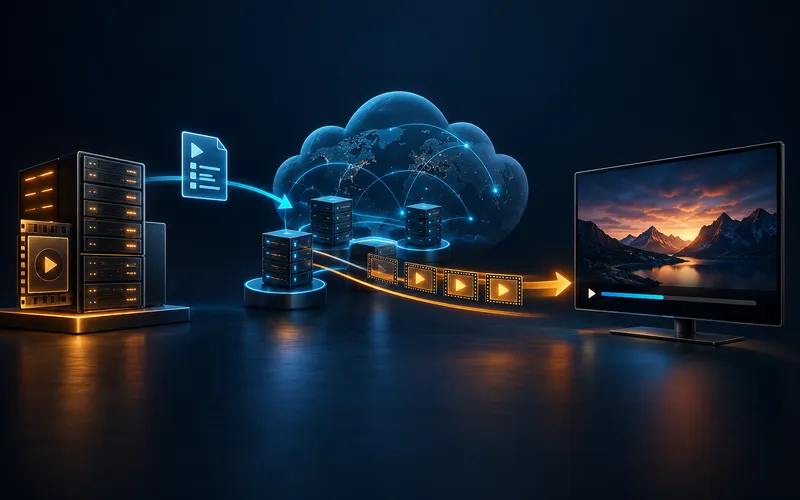
IPTV stands for Internet Protocol Television. In practical terms, a player requests media over an IP network and presents it on a TV, phone, tablet, or computer. A familiar viewing experience can include live channels, a program guide, and on-demand libraries, but those features depend on the specific service and player.
It is helpful to separate three roles: the service that is authorized to offer programming, the player that displays a stream, and the device that runs the player. One product can sometimes cover more than one role, but they should not be assumed to be interchangeable.
The distinction matters when something goes wrong. A television can run a player successfully while a particular account is expired; a player can accept a playlist while the referenced media is unavailable; and a strong home connection can coexist with a delivery problem elsewhere. Describing the role that failed is more useful than saying that “IPTV is down.” It also keeps ordinary technical questions separate from the question of whether a service has the rights to offer a program in a particular location.
What happens when you press play
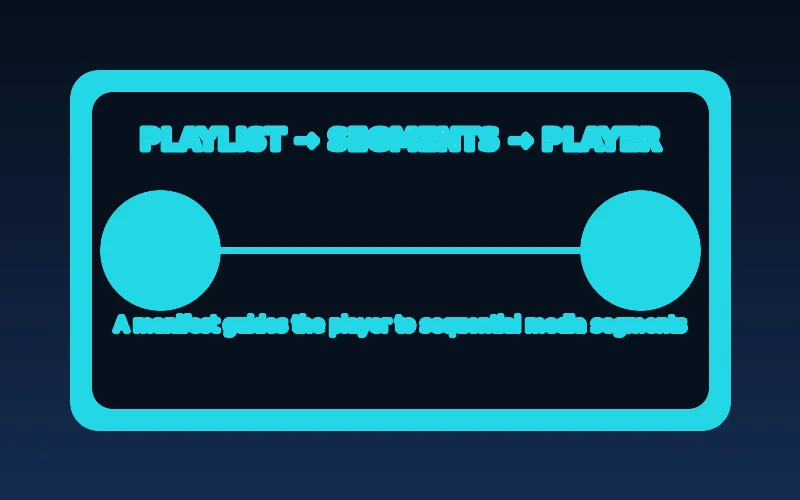
A media service prepares video in multiple versions, publishes a playlist or manifest, and makes short media segments available through servers and content-delivery networks. The player reads the manifest, requests segments, and may switch between quality levels as connection conditions change. Apple’s HLS documentation describes this adaptive, HTTP-based model.
That is why a playback problem has more than one possible cause: a local Wi-Fi issue, device limitation, player setting, account configuration, or a problem upstream. A useful diagnosis changes one variable at a time.
In HLS, a playlist identifies media segments and supplies the information a client needs to request them in sequence. A master playlist can also describe alternate variants, while a media playlist describes the segments for a particular rendition. The practical takeaway for a viewer is modest: a pause does not identify the failed layer by itself. Compare one known-good authorized title on the same device and connection before changing an app, a router, or account information.
Adaptive variants are a delivery choice, not a promise of a particular picture quality. A player may select a lower-bitrate rendition when it judges that conditions have changed, then select another rendition later. That behavior can make playback more resilient, but it cannot repair a broken account, an unavailable title, or a device that does not support a chosen format. It is better to observe the pattern than to force settings whose effect has not been documented by the player publisher.
A rights-aware evaluation checklist
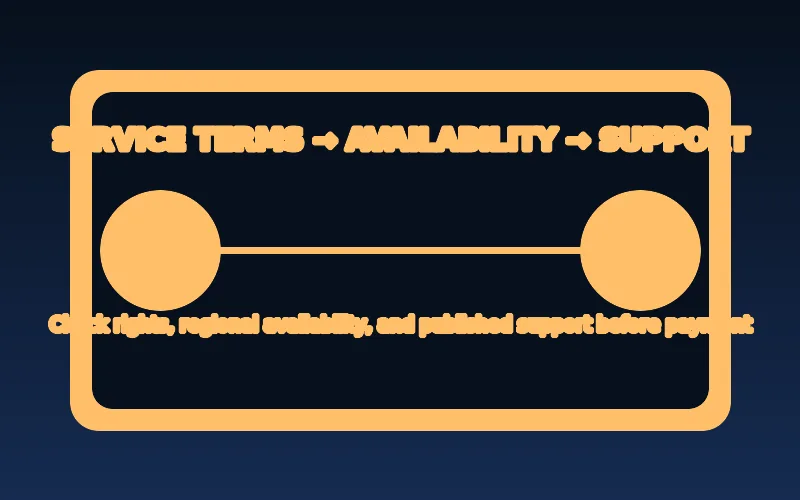
Before sharing credentials or paying, identify the legal entity behind the service, read its terms and refund conditions, and look for a clear route to support. Confirm what content is offered in your location and whether the provider can explain its rights to distribute it.
A legitimate player is not an endorsement of every playlist or service that can be entered into it. Keep the player’s source and the service’s authorization as separate questions.
Read material subscription terms before entering payment details: the amount, billing interval, connection limit, renewal behavior, cancellation route, and any published refund conditions. Consumer guidance from the FTC similarly emphasizes understanding recurring terms and retaining a record of a cancellation request. That is general subscription hygiene, not evidence that any particular IPTV offer has a particular policy.
Rights-aware evaluation also means distinguishing a business claim from an independent technical fact. A channel list, resolution badge, or player logo does not explain where programming may be made available. Ask the provider to identify the relevant terms and availability for your location. If the answer is unclear, do not fill the gap with an assumption based on the delivery technology, a social-media recommendation, or the fact that a player accepted a connection field.
Where to go next

If you are deciding how to watch, use the device compatibility guide first. If playback is already unreliable, use the troubleshooting guide instead of repeatedly reinstalling apps.
For a first setup, take a short inventory: display or streaming-device model, operating-system version, official app source, network type, and the support route for the authorized service. This record is intentionally boring, but it prevents a common problem: following advice written for a different operating system or a phone app when the actual device is a television interface.
IPTV, OTT streaming, cable, and satellite: the practical difference
IPTV is an umbrella term for television delivered using Internet Protocol. In a managed IPTV system, an operator can control parts of the access network and quality of service. Over-the-top streaming also uses IP, but typically travels over the public internet. Cable and satellite broadcasting use different delivery infrastructures. From a viewer’s perspective, these services may all have live channels, catch-up, and on-demand menus; the technology label alone cannot tell you what programming, support, or rights are included.
For a practical comparison, write down what matters in your household: live schedules, on-demand titles, accessibility options, supported screens, simultaneous playback, and reliable customer service. Compare published service terms rather than assuming that an IPTV-branded offer has a particular feature. A provider may offer an integrated app, while another uses a compatible third-party player. Neither approach by itself establishes content authorization.
The names also overlap in everyday conversation. A streaming service can use IP delivery without being described as a managed IPTV offering, while a managed operator may control more of the delivery environment. For a buyer, the more useful questions are concrete: which device is supported, what access is included, how many simultaneous connections are permitted, and where are the terms and support instructions published?
This framing avoids a false technical hierarchy. Cable and satellite can have excellent or poor experiences depending on the service and equipment; internet delivery can likewise be stable or unstable depending on many layers. A delivery label helps explain the path, not the value of a particular offer. Make decisions from documented terms, local compatibility, and an authorized service’s support materials rather than from a broad label alone.
How live channels and video on demand travel to your screen
A live channel begins as a real-time program feed. The distributor encodes that feed into a digital format and makes it available through a delivery system. Video on demand begins with a stored asset that can be requested whenever the viewer chooses. Both can use adaptive streaming, where the player selects among encoded variants as bandwidth and playback conditions change. Live streaming additionally has latency considerations because the content is still being produced.
The player does not simply download one enormous video file before playback. In segmented HTTP delivery, it requests a manifest and media segments in sequence, maintaining a buffer to absorb short variations in network performance. That buffer explains why a brief interruption may be invisible, while sustained congestion can cause a pause. Device decoding capability, service-side encoding, and the network path all influence the result.
Live and on-demand viewing are therefore different operational cases. A live presentation continues to add segments and carries a delay from the original event; on-demand media is stored and can be requested from a fixed catalog. Neither label predicts image quality, channel availability, or reliability. Those are separate questions about the encoding, device, network, and the particular service’s documented offer.
The components of a complete viewing setup
A useful mental model has five parts: content rights and service, account entitlement, media delivery, player software, and the viewing device. The home network connects the device to the delivery path. A failure in any one part can affect playback, and changing an unrelated part may do nothing. For example, installing a new player cannot renew an expired account; upgrading Wi-Fi cannot make a missing program guide appear if no guide data was supplied.
Before purchasing hardware or subscribing, check the exact device model and operating system, the official player source, the service’s supported import method, and whether the content is licensed for your location. Keep an account record privately, including the service’s support contact and published terms, but do not store a playlist token in a public note.
Treat each component as a separate support boundary. The device maker can explain updates and hardware behavior; a player publisher can explain its fields and supported formats; an authorized service can explain account status and its own catalog. A helpful request includes the device model, app version, connection type, time of the issue, and exact non-sensitive error. It does not need a password, payment number, or full tokenized link.
What playlists, portals, and program guides actually do
An M3U playlist is generally a text list of media references; an HLS M3U8 manifest is a particular kind of playlist used for segmented playback. A portal is a service-defined entry point that may expose an account and catalog through a particular player workflow. An electronic program guide, or EPG, supplies schedule metadata. These pieces have different jobs. A working video does not guarantee correct guide data, and a successfully imported playlist does not prove that the referenced media is accessible.
Use the connection format the authorized service documents. Avoid pasting access links into online validators: URLs may contain account tokens. If a playlist imports but one channel fails, compare a known-good authorized title before changing the entire account configuration. The separate M3U and EPG troubleshooting articles cover those specific problems in more detail.
A portal, playlist, and guide are not interchangeable credentials. A portal can be an application-specific service endpoint, a playlist can be a list of media references, and an EPG can be schedule metadata. If guide information is missing while video works, investigate the guide mapping rather than treating it as a universal playback failure. If login fails before a catalog appears, preserve the message and check the documented account path instead of testing a private address on a public website.
Choosing a device without buying the wrong hardware
A television with a built-in app store, a dedicated streaming box, a phone, and a computer can all be capable of IP video playback. Compatibility still varies by operating-system version, region, codec support, remote-control interface, and app publisher. A player advertised for Android phones is not automatically designed for Android TV, and an app available on one television model may be absent on another.
Start with the equipment you own. Find its model number and software version, then confirm the player’s official listing for that device. Test a trusted video application on the same network to establish a baseline. If you need a new device, compare support and update policy before chasing headline specifications.
A capability listed in a device specification is not the same as a service guarantee. Codec support, display output, available storage, remote navigation, regional storefront availability, and software maintenance all affect the experience. A small compatibility checklist is more useful than selecting hardware solely because another owner reported success with a different generation, country, or player version.
When comparing screens, do not overlook the interface. A phone-oriented app can technically run on Android but remain awkward with a television remote; a television app can be unavailable in a particular storefront; and a built-in smart-TV platform can age out of current app support sooner than an external streaming device. The appropriate choice is the one whose official app path, operating-system support, and account method are documented for the specific household setup.
Common IPTV misconceptions worth correcting
IPTV is not synonymous with illegal streaming. It is a delivery technology; lawful use depends on the rights and conditions of the particular content and service. IPTV is also not a guarantee of thousands of channels, 4K video, unlimited connections, or zero buffering. Those are separate claims that require specific evidence. Likewise, a player app is not necessarily a subscription, and an account login is not interchangeable with a playlist URL.
Be wary of offers that cannot identify the business, explain the content rights, document supported devices, or state refund terms. A sensible evaluation includes price, billing duration, simultaneous-stream limits, support response route, privacy handling, and cancellation policy. This protects you better than relying on a channel-count headline.
Another misconception is that a fast connection test settles every playback question. A speed test reflects one destination at one moment. It cannot establish the health of a particular media path, entitlement, player parser, or device decoder. When playback is inconsistent, record a comparison between two authorized titles or two controlled network conditions and use that evidence in a support request.
A beginner-friendly first-day checklist
First, identify the screen and its operating system. Second, confirm that the intended service is authorized and supported in your region. Third, obtain the service’s documented player and connection format from a verified source. Fourth, update the device and check that another trusted streaming app works on the network. Fifth, enter your account details privately and test one authorized stream before importing a large catalog or changing advanced settings.
If the first test fails, note the exact error, player version, device model, time, and connection type. Determine whether the problem affects one title or all playback. Change only one variable per test. This approach creates useful evidence for support and avoids unnecessary reinstallation, account resets, or insecure download shortcuts.
Finish by saving only non-sensitive notes: the device model, player name, date configured, and official support link. If you later replace the device, remove account access through the service’s documented process and follow the manufacturer’s reset guidance. This is a practical closing step because IPTV setups often span a service, an app, and a device; a private record helps you migrate deliberately without treating an old playlist URL as disposable public text.
The same disciplined approach applies to every later change. Before replacing a device, changing a player, or altering the home network, state the question you are trying to answer and keep the other variables stable for one test. A controlled comparison will not resolve every upstream issue, but it makes the result understandable. That is the practical meaning of IPTV for a viewer: a collection of connected components that should be checked deliberately, not a single product category with one universal fix.
Before buying a plan or adding another screen, write down two separate decisions: whether the service’s published terms meet your needs, and whether your household equipment is ready for the documented setup. Retain the price, duration, renewal terms, connection allowance, cancellation route, and refund conditions shown when you considered an offer. Separately record the device model, operating-system version, player listing, and network type. This division is useful because a payment or account question belongs with the service, while an app-store availability or remote-control question may belong with the device maker or player publisher. It also reduces the temptation to share a sensitive link with someone who cannot act on it.
When asking for help, start with a reproducible description: what you selected, what you expected, what appeared on screen, and what one controlled comparison changed. Say whether a known-good authorized title worked on the same device, or whether the same title behaved differently after a network comparison. Do not attach a password, card number, portal address, or tokenized playlist URL to that first description. Clear non-sensitive evidence gives a legitimate support route a better chance to identify the relevant layer while protecting access to the account.
What each part of an IPTV setup does
| Component | Its job | What it cannot prove |
|---|---|---|
| Authorized service | Makes programming and account access available under its own terms. | That every player or device will support its documented format. |
| Player app | Reads a supported connection format and presents media on a device. | That a source has distribution rights or an account is active. |
| Viewing device | Runs the player and decodes the delivered media. | That the local network or upstream delivery path is healthy. |
| Home network | Connects the device to the media path. | That a particular service, account, or title is available. |
After completing these checks, use the what is IPTV entry point on the Zenora IPTV homepage to compare device guidance, plan information, and support resources.
Frequently asked questions
Is IPTV the same as a streaming app?
Not necessarily. IPTV describes delivery over IP networks; a streaming app is one possible interface for playing a particular service.
Does IPTV always mean live TV?
No. IPTV systems can carry live streams and video on demand. The actual offering depends on the service.
Do I need a special box to use IPTV?
Not necessarily. A compatible smart TV, streaming device, computer, phone, or tablet can run a suitable player, but the exact app, operating-system version, and authorized service format still need to be checked.
Sources and further reading
For a clear next step, visit Zenora IPTV to compare the relevant device guidance, plan information, and support resources before proceeding.