This guide explains IPTV EPG not working with practical, rights-aware checks you can use before changing a player, device, account, or network setting.
For the closest related workflow, continue with IPTV Troubleshooting Guide; it addresses the next decision without replacing the checks on this page.
IPTV EPG not working: separate guide data from video playback
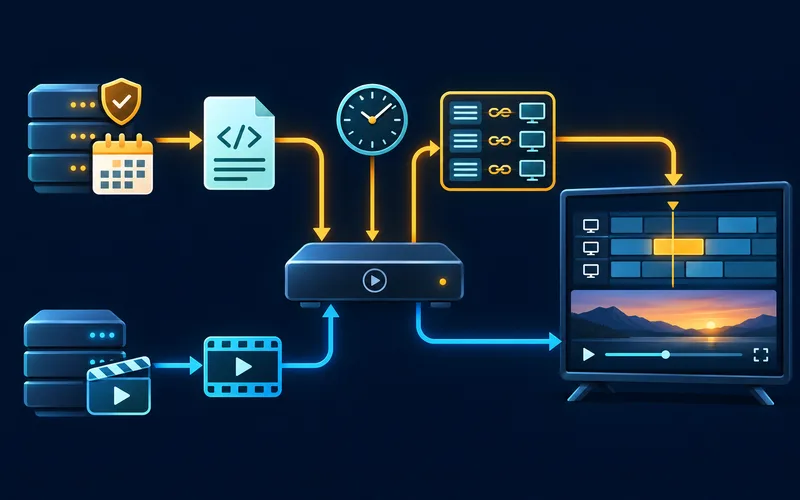
A channel can play while its listing is missing, and a guide can display while video playback fails. Treat those as separate symptoms. The guide may depend on service-side data, identifiers, a player’s mapping rules, and the device clock.
At a high level, an EPG joins two independently maintained collections. The playlist or service catalog tells the player which channels exist and how playback is requested. The guide feed describes schedules, normally with a channel identity and programme start and end times. The player joins them and then renders a grid in local time. Each handoff can fail differently. The provider can publish no schedule for a channel, publish one that is delayed, change an identifier, or offer a feed that a particular player does not understand. The player can retain old data, fail to download an update, make an ambiguous name match, or use the wrong clock conversion. The device can report an incorrect time zone. Keeping those layers separate is the core diagnostic skill: it lets you ask whether a record is absent, attached to the wrong channel, shifted in time, stale, or merely displayed differently by one application. It also protects against the tempting but incorrect conclusion that an empty guide proves that the internet, subscription, or media server is down.
Start by recording whether the issue affects every entry or only selected entries, and whether it appears on another supported device using the same authorized account.
Before testing, make a compact baseline note: the player name and version, device model and system version, connection type, normal country or region, one channel that plays, and one channel whose schedule is wrong. This prevents a guide question from being confused with a device-identification problem. It also lets a provider compare the report against a known feed or regional lineup. A useful observation has a time attached: saying that a channel was blank at 8:10 p.m. in a named time zone is actionable; saying that the guide was wrong sometime yesterday is rarely enough to reconcile a rolling schedule.
The distinction matters because a guide is descriptive schedule data, whereas playback is a request for timed media. A player can successfully request video from a legitimate service even when it has no matching schedule record to place beside that channel. Conversely, a beautiful, current grid does not establish that the selected item is entitled, reachable, or decodable. Begin the report with the visible symptom: video works but listings are blank; listings are present but shifted; one channel is wrong; or both the guide and playback fail. That first split prevents a network reset from becoming the default response to a data-mapping fault.
Use a repeatable sample. Pick one channel, write down its displayed name and a program that should be on now, then compare the same channel in the service’s documented app or a second supported device if available. Note the test time and time zone. A channel whose video works on both devices but whose guide is absent only in one player points toward local import, cache, or mapping behavior. If the service’s own supported app shows the same bad schedule, preserve the example for the service rather than rebuilding the home network.
Use a low-risk isolation sequence
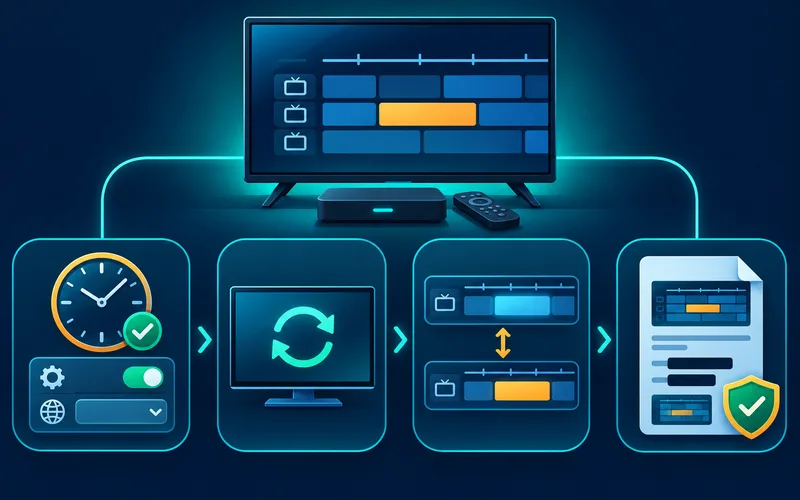
Confirm the device date, time, and time zone are correct. Refresh guide data using the player’s documented control, then wait for that single update to complete. Check that the account or source information was entered exactly as supplied.
If the guide still does not match, provide the service with an example channel, expected and displayed time, device model, player version, and a screenshot with any credentials removed.
Do not use a test that changes the account’s normal limits. Signing into many devices, repeatedly requesting a new activation code, or entering the same credentials into unfamiliar software can create a second support issue. A second comparison should be a device and player the service explicitly supports, ideally on the same account and during the same short observation window. Record only pass or fail and the visible schedule difference. That controlled approach means a support team can determine whether it is looking at a cache, a client parser, a channel mapping, or upstream guide publication.
Keep the sequence deliberately small: verify the clock, perform one documented refresh, wait for it to finish, then inspect the same sample channel. Do not change the player, router, time zone, DNS settings, and subscription at the same time. Each broad change can appear to help simply because the remote feed updated while the change was in progress. A written before-and-after note is more useful than memory, especially when the issue returns after a device sleep or the next scheduled refresh.
A trusted comparison can include another application on the same device, but it must not require sharing a playlist token. If a player supports an official diagnostic page, record whether the guide download completed, when it last updated, and any non-sensitive error code. If it does not, use only ordinary visible behavior. Never upload an access URL to an online EPG checker. It may contain an account name, expiration value, or bearer-like token that another person could reuse.
Avoid making the evidence worse
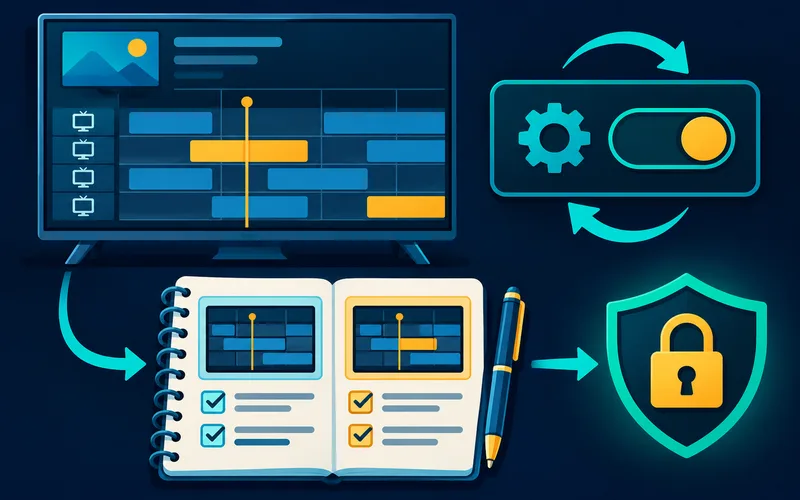
Do not repeatedly delete and re-add sources, change time zones, and reinstall the player in one session. Each change removes clues. Make one reversible change, retest, and note the outcome.
Be skeptical of videos that recommend a universal EPG URL, a hidden developer menu, a DNS change, or a subscription-reset ritual. A guide endpoint can be specific to a provider, plan, territory, and player. An unrelated endpoint may display plausible-looking data while mapping the wrong schedule to the viewer’s channels. It can also expose the device to an untrusted operator. Use the player’s official help and the authorized provider’s current instructions, and preserve a working configuration before accepting a change that cannot be undone easily.
Clearing application data deserves particular care. It can remove a cached guide, but it can also erase a working server address, channel grouping, favorites, parental settings, or a carefully entered configuration. Before using it, confirm that the authorized provider has a safe way to recover the configuration and that the symptom is isolated to that player. If a refresh changes nothing and a second supported device shows the same missing schedule, a destructive local reset has little diagnostic value.
Avoid manual clock adjustments as a cosmetic cure. A deliberately incorrect device clock can alter certificate checks, scheduled updates, recording behavior, and other applications. Set automatic date, time, and time zone where the platform supports them, then use the player’s documented offset only when its publisher explains how the guide source expresses time. Record any offset you apply so it can be reversed after a feed correction or daylight-saving transition.
Understand the EPG data path
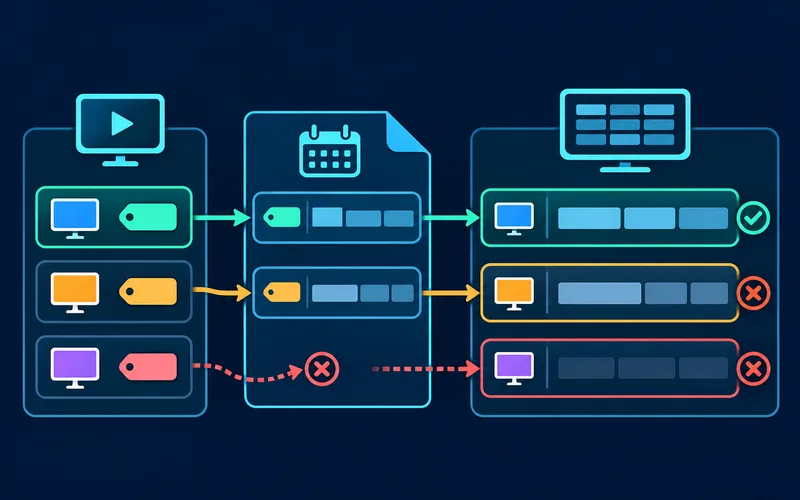
An electronic program guide is a separate set of schedule records that a player matches to channels. It may be delivered through a service API or an XMLTV-style data feed. Playback can work even if the schedule source is missing, delayed, or incorrectly mapped.
Check whether every channel lacks listings or only a few do. That difference helps distinguish a general guide import problem from an identifier or channel-mapping mismatch.
For example, a playlist may call an entry “News HD,” while its associated guide record uses a provider-specific identifier and carries a full regional name. The player must either receive that association from the service or apply a documented matching rule. Changes in punctuation, country suffixes, feeds, or duplicate names can matter even though they look harmless on screen. Treat the mapping as data, not as a cosmetic label. If the app exposes a manual match editor, use it only with a published provider identifier and write down the original state so the setting can be restored.
XMLTV is a mature XML format for storing television listings. An XMLTV document can describe channels and programmes with identifiers, titles, start times, and stop times; a player still has to associate its playlist channel with the correct guide-channel identifier. The visible channel name is not always sufficient. Two regional feeds may share a short display name, while a provider can rename a playlist entry without changing—or while changing—the identifier used by the guide. That is why a guide can be excellent for most entries yet wrong for a small group.
Do not edit identifiers or invent a mapping rule unless the chosen player and authorized service document that workflow. A mapping intended for one region can silently attach another region’s schedule. Instead, capture the exact visible channel label, its player-exposed identifier if available, the expected program, and the observed program. The M3U playlist explainer helps distinguish a playlist’s channel entries from the separate guide-data feed.
Time zones and daylight-saving changes
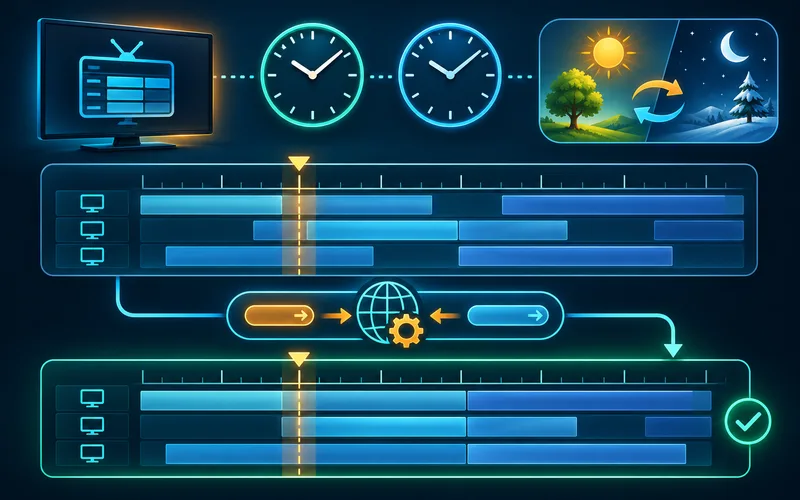
A guide that is consistently one or several hours off may reflect a device time-zone setting, guide offset, or data-source convention. Daylight-saving transitions can expose incorrect assumptions about local time. Do not manually shift the clock simply to make one listing appear correct.
Confirm the device’s automatic time and time-zone settings, then check the player’s documented guide offset control if one exists. Record a specific program and its expected time for support.
Guide producers may publish timestamps with an explicit offset or a convention that the consuming app converts for the viewer. That conversion is why the same feed can look correct in one client and offset in another. It also explains why daylight-saving weekends are valuable evidence: compare the issue before and after the transition rather than changing several offsets by hand. If only an overnight programme is odd, check its recorded start and end boundaries before deciding the entire guide uses the wrong zone. Precise examples help a provider trace source metadata without asking for private credentials.
Time fields deserve more precision than a casual ‘one hour off’ description. Compare a future program boundary and a currently airing program, then record the device’s displayed local time, selected time zone, and whether daylight saving is currently active locally. A constant displacement across every channel often suggests a clock, offset, or source-time convention; a displacement that changes only on selected channels is more consistent with mapping or source metadata. A single local clock change should not be used to repair a mixed pattern.
Different platforms expose time settings differently, and some obtain time zone automatically. Follow the device maker’s supported path rather than a third-party shortcut. If travel, a VPN, or a recently changed region setting is part of the history, mention it in the support report without assuming it caused the fault. Return to the household’s normal region and secure network configuration before comparing results. The general troubleshooting guide shows how to keep one variable fixed during that comparison.
Refresh once, then investigate mapping
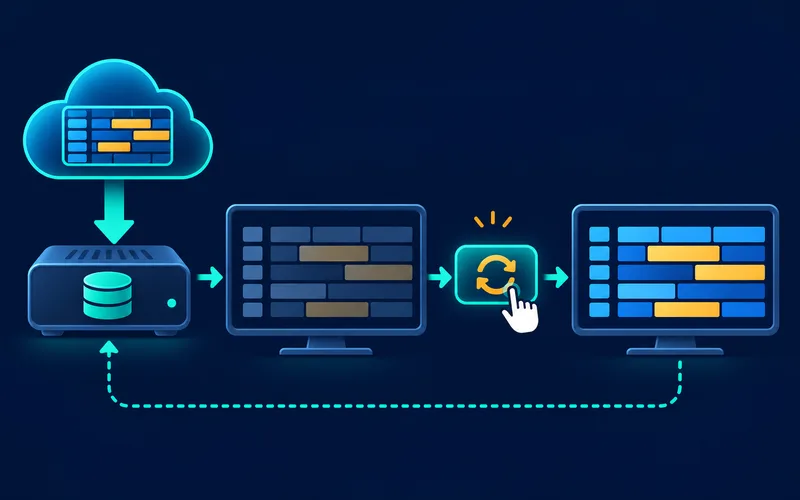
Use the player’s official EPG refresh control and allow it to finish. Repeatedly deleting playlists or clearing app data may erase mappings without fixing missing upstream schedule records. If only selected channels fail, compare their identifiers and names where the player exposes them.
If the service supplies no compatible guide feed, the player cannot invent accurate schedule data. Ask the authorized service which guide format and refresh frequency it supports.
Compatibility is app-specific. One player may read a provider API, another may accept XMLTV beside an M3U list, and a third may offer only its own guide source. A configuration that works on a phone application therefore cannot be presumed to work on a television application with the same service. Check the exact player’s support pages for accepted guide formats, manual matching behavior, cache controls, and platform limitations. Check its official store listing and publisher identity too; a similarly named app can have different data handling and no support relationship with the provider.
A stale guide is not always a failed guide. Some players retain downloaded records so the grid remains useful when the device is briefly offline; others refresh only at launch, on a timer, or when the user invokes a control. Look for a documented last-update indication and compare it with the provider’s stated cadence. If the guide is simply old while video is normal, let one supported refresh complete on a reliable connection before concluding the data is unavailable. Reopening the app repeatedly can interrupt or duplicate that work.
When only selected channels are blank, compare their playlist labels and group placement with channels that map correctly. Do not post those details with a full account URL. A provider may need to repair a channel ID, correct a regional feed, or publish an updated XMLTV endpoint; a player publisher may need to explain an import limit. Separating those responsibilities produces a useful ticket and avoids paying for unrelated hardware.
What to include in a guide-data support request
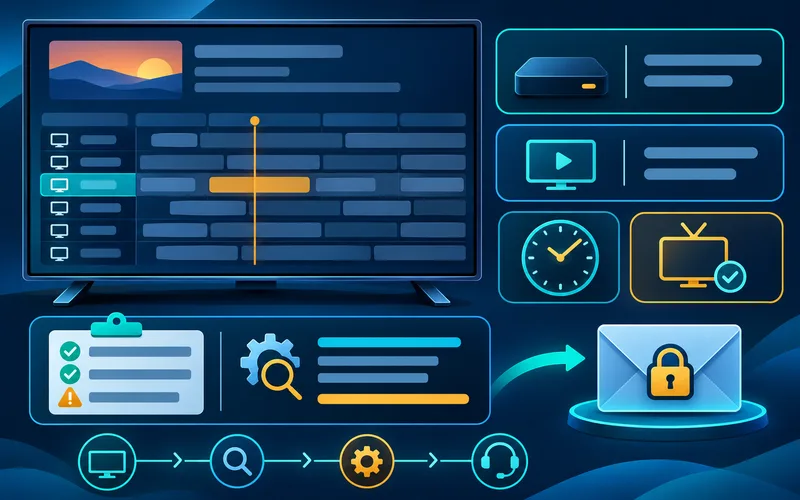
Send the channel name, displayed program title, expected time, time zone, player version, and whether video playback itself works. Include a redacted screenshot if helpful. Never expose the playlist URL or access token.
If guide data differs across supported devices using the same account, note that comparison. It may help distinguish a local mapping problem from a service-side feed issue.
Finish the investigation with a proportionate next step. If all supported clients show the same missing or wrong schedule, send the provider a redacted example and wait for its feed correction. If only one client is affected, update it through its official store and follow its documented refresh or mapping procedure. If playback is also failing, stop treating the guide as the sole cause and use the buffering diagnosis guide or the service’s playback support route. The goal is a clear evidence trail, not a collection of unrepeatable tweaks.
A concise diagnostic checklist is: verify the sample channel’s playback; record the program expected now; confirm automatic time and time zone; perform one documented guide refresh; wait for completion; compare one second supported device or app; and preserve the result. Add the player name and version, device model and OS version, network type, date and local time, and any error text. That sequence is both safer and faster than repeated reinstalls because it identifies the first layer that disagrees.
Send evidence only through a verified private support route. Redact playlist URLs, query parameters, passwords, email addresses, payment information, QR codes, and account numbers. A provider can usually investigate with an anonymized channel example, screenshots of the displayed and expected schedule, versions, and times. If an access token has already appeared in a public post, revoke or replace it through the authorized service before further testing; the security and privacy guide explains why those URLs should be treated as credentials.
After a refresh appears successful, observe the same sample through the next ordinary update cycle. Note whether a reboot, sleep period, or network reconnection changes it. That modest follow-up distinguishes a transient download from a persistent cache or mapping condition and gives support a more reliable report.
Diagnose an EPG problem separately from video playback
| Symptom | First check | Interpret carefully |
|---|---|---|
| Video works but schedule is blank | Confirm the service supplies guide data for that account and region. | A working stream does not guarantee an EPG mapping. |
| Times are offset | Check device time zone and the guide’s documented time basis. | Do not edit account data before recording the offset. |
| Only some channels lack listings | Compare channel identifiers and the service’s guide coverage. | A partial guide is not necessarily a player failure. |
| Nothing updates | Check the player’s documented refresh behavior and network baseline. | Repeated refreshes cannot create missing upstream data. |
After completing these checks, use the IPTV EPG not working entry point on the Zenora IPTV homepage to compare device guidance, plan information, and support resources.
Frequently asked questions
Can a working channel still have no guide?
Yes. Guide data and playback can fail independently.
Will reinstalling always refresh an EPG?
No. The cause may be account, data, mapping, or service-side rather than local app state.
Why is my IPTV guide one hour off?
Check automatic device time and time zone first, then the player’s documented guide offset and the provider’s schedule metadata. Do not deliberately set the system clock wrong.
What does XMLTV do in an IPTV setup?
XMLTV is a schedule-data format. A compatible player uses its channel identifiers and programme times to match a separate playlist or service catalog to a guide grid.
Sources and further reading
For a clear next step, visit Zenora IPTV to compare the relevant device guidance, plan information, and support resources before proceeding.