This guide explains M3U playlist not loading with practical, rights-aware checks you can use before changing a player, device, account, or network setting.
For the closest related workflow, continue with M3U Playlists Explained: What the File Does—and Does Not Do; it addresses the next decision without replacing the checks on this page.
M3U playlist not loading: check the input before changing the device
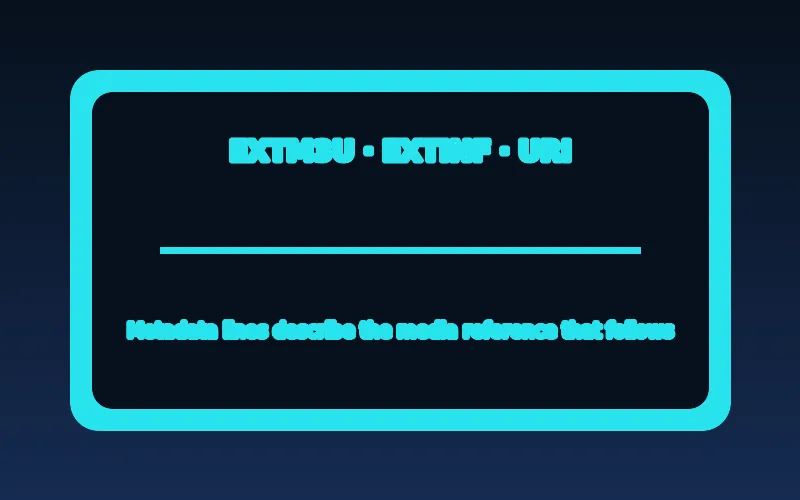
An M3U or M3U8 playlist is a text instruction list that can point a player to media locations. It is not proof that the player supports every referenced format or that an account is authorized.
Use the exact address or file supplied by the authorized service. Check for accidental spaces or transcription errors, but do not paste tokenized links into public checkers, screenshots, or forums.
Read an M3U as a small text document, not as a promise that every item will play. A conventional extended list begins with an EXTM3U header and may pair EXTINF metadata with a following URI. A missing line break, a pasted quote, an extra character before the header, or a URI split by a messaging app can make a strict importer reject the entire document. Do not edit a provider file casually; compare the value character for character with the current private instructions and ask the provider for a fresh copy if it might have been truncated.
Separate a local file problem from a remote-address problem. A player that offers both choices may apply different permissions, storage access, and parsing behavior to each. Confirm that the selected field expects a URL rather than a portal address, username/password pair, or local upload. If it imports a local file but not a remote address, the issue is not automatically syntax; URL access, redirects, authentication, or the player’s network policy remain possible. Preserve the original file and make a single controlled comparison rather than converting it through an unknown website.
Test the compatibility chain
Confirm the player supports the requested import method, the device has a correct clock, and the network is connected. Then test one known-good authorized source in the same player if available. This helps distinguish a player-wide problem from a source-specific one.
If another trusted network changes the result, record that observation rather than immediately changing DNS, VPN, and player settings together.
HLS is one specialized use of the M3U family. RFC 8216 describes HLS playlist files as UTF-8 and derived from M3U; an HLS client follows playlist references to timed media segments and may use a master playlist to choose a variant. A broad channel-list M3U, by contrast, can be a catalog of unrelated stream addresses and metadata. A player that accepts a channel list is not necessarily an HLS validator, and a player that handles HLS media does not necessarily accept every service-specific catalog or login workflow. Match the provider’s documented input method to the exact player and platform.
Encoding can matter before an application reaches the network. UTF-8 is the correct expectation for HLS playlists, but an exported file with a different encoding, invisible byte-order mark, nonstandard quote, or damaged line ending can confuse an importer. Do not attempt to repair a tokenized playlist by opening and resaving it in several editors, because an editor can alter punctuation or URL encoding. Ask the authorized provider whether it supplies a downloadable file, a direct HTTPS URL, or a supported app-specific login; then use the unmodified current artifact.
Escalate with useful details
Share the exact error text, player and device versions, time of test, and whether the issue affects a second supported device. Redact tokens and passwords. The service can then investigate authorization or source availability without needing a risky public link.
A practical decision process is: identify the failure stage; confirm the input type; test one known-good authorized item in the same player when possible; compare one supported device or trusted connection; and stop after the first difference. If an import immediately says malformed, retain the error and source type. If the catalog appears but every item fails, note whether the message concerns authorization, network, or decoding. If only one item fails, report its name and time rather than resetting the account. This sequence creates useful evidence while avoiding a chain of unrelated changes.
Keep the report private and minimal. Include the player and version, device and OS, local date and time, network type, exact non-sensitive error, input type, and pass/fail comparison. Redact account email, password, payment details, QR codes, and every query parameter in a playlist URL. A token can function like a credential. Use the provider’s verified support route and ask whether it can confirm account status or issue replacement details; never send a full URL to a forum helper.
Identify the exact failure stage
A playlist can fail before import, import with zero entries, show entries that cannot play, or load some channels but not others. These are different symptoms. An HTTP error, parser message, or authentication rejection provides more information than the phrase not loading.
Record the precise message and whether the same player can load another authorized source. Avoid pasting a credential-bearing link into public diagnostics.
HTTP responses describe the request result, not a universal remedy. A 3xx response asks a client to follow a Location target; some players follow redirects differently, particularly when the target changes protocol, host, or required headers. A 401 means valid authentication credentials are absent or unacceptable, while a 403 means the server refuses access despite recognizing the request context. A 404 can mean a moved or expired resource, but services sometimes deliberately avoid exposing authorization details. Preserve the displayed code and time; do not guess hidden parameters or append credentials to a URL.
Network symptoms can look similar. A timeout, DNS failure, captive portal, router filter, TLS problem, or temporary upstream outage may prevent the address from being fetched even when the list is otherwise valid. First confirm the device can use another reputable app on the same connection. Then, only if the service supports it, compare the same authorized configuration on a second trusted network. A changed result identifies a network variable; it does not prove that changing public DNS, disabling security, or enabling a VPN is safe or necessary.
Check formatting without exposing secrets
Copy the address from the authorized service’s current instructions and check for accidental spaces, missing characters, or confusion between a playlist URL and a portal login. Some players expect a local file; others expect a network URL. The wrong field can cause a failure even when the account is valid.
A tokenized URL may contain private account information. Do not publish it in screenshots or use third-party checker websites whose data handling you cannot verify.
Copying is safer than retyping, but verify what the player has actually accepted before pressing import. Television keyboards can insert a leading space, substitute punctuation, or hide a character after a long URL. A portal address, activation code, and M3U address are separate configuration types even when they originate from the same legitimate service. Place each value only in the documented field. If an app asks for a server, username, and password, pasting a complete M3U URL there is not a valid test of the account.
Avoid changing the URL scheme, port, or path to imitate a tutorial. HTTPS, a redirect, and signed query parameters can be integral to how a service authorizes access. Removing a suffix to make an address look cleaner can make it fail or expose it to a different endpoint. If a provider says details have expired, obtain a replacement through its normal account channel. This is safer than trying URL generators, account checkers, or converters that may retain a working token.
Separate player compatibility from server access
If the playlist imports but video fails, the problem may involve stream format, device decoding, entitlement, or the source itself. If the player cannot parse the playlist at all, focus on the supported import format and app version. A second trusted network may help identify a connectivity variable.
Test one change at a time and keep the player version, device model, and time in your notes. Do not guess hidden URL parameters or try to bypass access controls.
Import success is not playback success. After a list loads, the player may still need to negotiate the media type, codecs, audio tracks, subtitles, encryption, and output path for each item. A catalog that displays names but yields a black screen is therefore a different problem from a parser error. Use the black-screen and sound guide for the display and audio branch, and the authentication-error guide when the service identifies an entitlement or sign-in problem.
Player limitations are platform-specific. Some television apps accept only a URL, some require an app-specific sign-in, and some have no mechanism for a companion XML guide or custom headers. Store availability and an app name alone do not establish feature parity across phones, streaming boxes, and smart televisions. Check the publisher’s listing for the exact platform, its minimum system version, accepted input format, and privacy documentation. Update through the official store before testing again, but do not install unknown packages to force an unsupported method.
Safe recovery and escalation
Restart the player once, check updates and device time, and use the provider’s documented refresh method. Clearing all data should be a later step because it can erase working settings. Ask the authorized provider to verify account status or issue updated details when appropriate.
Share a redacted error and test results through official support. Never hand a full tokenized playlist URL to a stranger offering to fix it.
Metadata can affect how an imported list feels even when every URI is reachable. Extended M3U attributes may provide a display name, logo, group, or channel identifier, but players differ in which attributes they honor. A malformed or duplicated identifier can result in a wrong label, duplicate channel, missing guide association, or confusing sort order. That is a catalog-data issue, not necessarily an internet-speed issue. The EPG troubleshooting guide explains why schedule mapping must be kept separate from video playback.
Before clearing application storage, save only the non-secret facts needed to recreate a known-good setup: player version, input type, device, and provider recovery path. Clearing data can remove favorites, groups, guide associations, and configuration without changing an expired token or upstream outage. Use it only after the provider confirms recoverable details and a player-specific cache problem is credible. A focused escalation should state what was tried once, what changed, and what did not; that is more actionable than a long history of reinstallations.
Use a written diagnostic record from the first attempt. Record where the playlist came from, whether it was entered as a URL or imported as a file, the exact player and platform, the local time, and the first visible outcome. Then classify the next step. A parser error calls for the documented input type and an unmodified current file. A request error calls for a controlled network comparison and the provider’s status check. A 401 or account message calls for the official recovery route. A loaded catalog with failed video calls for a media and device comparison. This keeps troubleshooting proportional: it avoids treating every problem as a bandwidth problem, avoids exposing a sensitive URL just to obtain a second opinion, and prevents a minor formatting issue from becoming a factory reset. If the provider requests evidence, send the shortest redacted package that establishes the symptom: an image of the error with secrets covered, the date and time, a generic channel example, player version, device model, and result of one comparison. Do not provide passwords, full URLs, or remote access. Close the loop by recording the provider’s response and whether a replacement configuration was issued. That record is useful if the fault returns after an app update, a token rotation, or a network change, and it lets the next support interaction start with facts rather than an assumption.
When a local-file import and a remote URL behave differently, record the mode rather than assuming either proves the other valid. A local file may parse because it is already on the device while the remote address redirects, needs current credentials, or is blocked by a network policy. A remote URL may work while an upload fails because the player has separate import code. Use the provider’s documented mode for that specific player, and do not download a tokenized list to a shared device merely to inspect it.
Contact the legitimate provider after a controlled result identifies its layer. Report a malformed import only after confirming the proper field and unmodified current input; report an account failure when a supported player returns an access message; and report an item failure when the catalog loads and other items work. Ask for account-status confirmation or replacement details through its verified private support path. Repeated activation attempts can trigger rate limits, so an evidence-backed request is safer than trial-and-error sign-ins.
One final distinction prevents wasted troubleshooting: playlist parsing is complete before the player attempts to decode a video track. If an app displays a populated catalog, the first parsing and fetch stages may have succeeded even if playback later fails. Keep the configuration unchanged and test a second authorized item. If the result follows a title, report the item and time; if it follows the device, inspect the player, output, and format path. This preserves a clean boundary between playlist investigation and playback investigation.
For recurring incidents, compare the same input at the same time of day and keep a short result history. A reproducible pattern gives the authorized provider a practical starting point and helps prevent a temporary recovery from being misidentified as a permanent fix.
Use a final, repeatable checklist before escalating. First, confirm the source is current and was copied through the provider’s private instructions. Second, verify that the player’s selected import field matches the source type: local file, remote playlist URL, portal, or account login. Third, identify the observable stage: rejected before import, imported with no entries, catalog visible but every item fails, or only selected items fail. Fourth, test one known-good authorized app or item on the same device and connection where that comparison is available. Fifth, make only one supported comparison—another supported device or trusted network—not a string of changes to DNS, VPN, codecs, or account settings. Finally, write down the exact result, device, player version, local time, and non-sensitive error. This sequence distinguishes malformed playlist data from HTTP fetch trouble, account access from media playback, and a local player limit from a provider-wide issue. It also avoids creating a misleading result by simultaneously restarting the router, reinstalling the app, and requesting new credentials. If a provider replaces a URL, test it once in the documented field and report whether the import stage changed. If a player update changes behavior, retain the old and new version numbers. If a comparison works only on another network, report that fact without assuming the home connection is at fault; an authorized support team can say whether its endpoint has known regional, protocol, or security requirements. The goal is not to diagnose server internals from a television screen. It is to provide precise enough evidence for the responsible provider or player publisher to reproduce the client-facing failure safely.
Check an M3U playlist load failure safely
| Symptom | Controlled check | Avoid |
|---|---|---|
| Playlist will not import | Confirm the documented format and recheck the supplied address privately. | Pasting a private URL into a public validator. |
| List imports but entries fail | Try one known-good authorized entry and note the exact message. | Assuming the player, account, and network failed for the same reason. |
| One device cannot load it | Compare player version and support for the documented format. | Changing the address before preserving the original error. |
| It stopped after working | Check account status and test a second authorized device or network if practical. | Reinstalling immediately and losing diagnostic evidence. |
After completing these checks, use the M3U playlist not loading entry point on the Zenora IPTV homepage to compare device guidance, plan information, and support resources.
Frequently asked questions
Is an M3U file the same as a subscription?
No. It is a playlist format; access and authorization remain separate.
Should I use an online playlist checker?
Avoid uploading credential-bearing links to untrusted services. Ask the authorized source for support instead.
Why does my M3U URL work as a file but not in a player?
Local-file and remote-URL imports can use different code paths. The remote request may face redirects, authentication, certificate, or network-policy limits even when the file parses locally.
What is the difference between a 401 and a 403 playlist error?
A 401 normally indicates missing or unacceptable authentication, while a 403 indicates the server refuses access. Preserve the error and use the provider’s official recovery route.
Sources and further reading
For a clear next step, visit Zenora IPTV to compare the relevant device guidance, plan information, and support resources before proceeding.